 House of Rionysus
DGen Studio docs
Overview
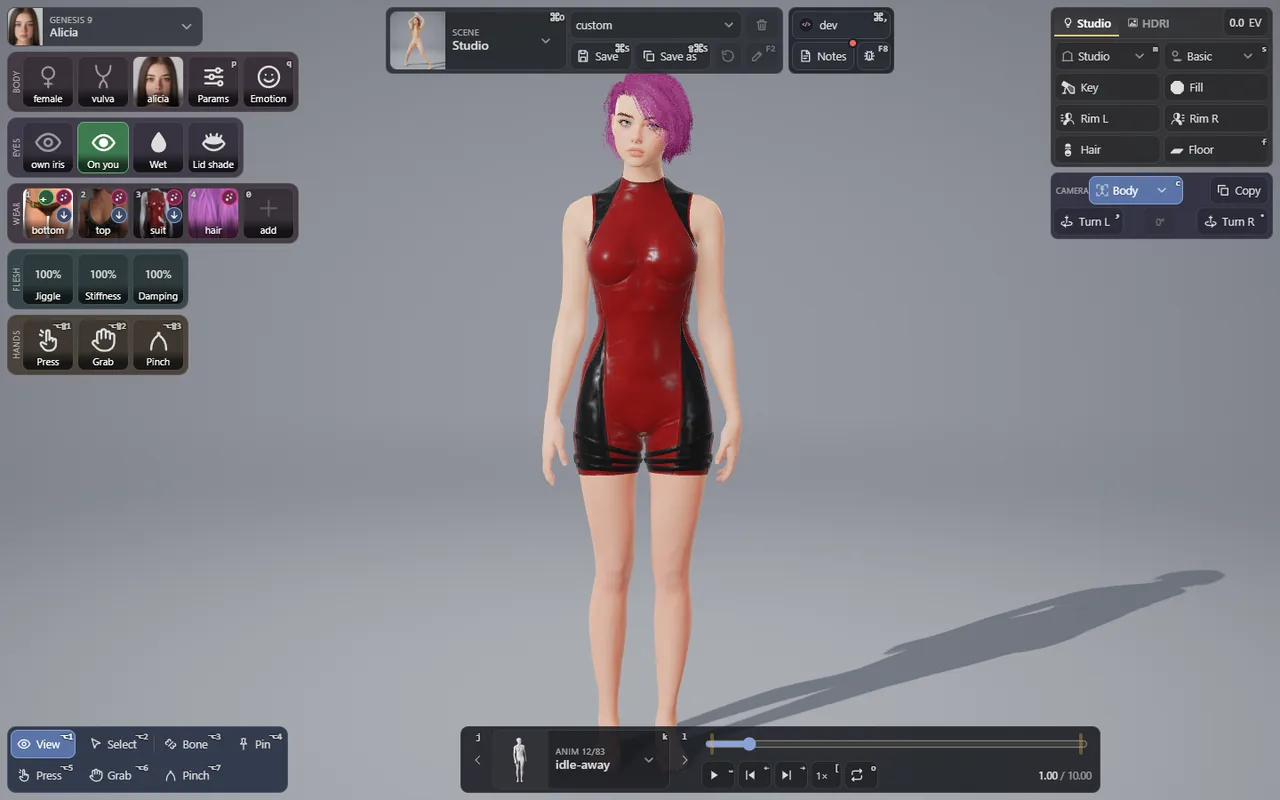
DGen Studio is a studio to play with your Daz assets and pose them. It loads a Genesis 9 figure from your own Daz library and moves it on motion clips, its flesh live in your browser: it sways, settles, dents under a finger and gives when you grab it. It runs on a state-of-the-art muscle and flesh simulation engine built in research.
It is Daz compatible: an alternative to VaM, and a sidekick for Daz. It reads the characters, clothes, hair and morphs you already own, as Daz does.
What you get
- Your Daz content, live. The body, its skin, its clothes and its hair come from your Daz library. Every Daz product you own that DGen uses turns on by itself.
- Flesh that moves. The body plays a motion clip and its flesh follows: breasts, butt, belly and thighs swing and settle. Push, pinch or grab it with your pointer, or with your own hands in VR.
- A physical skeleton. Pull a bone and the body resists, then goes back to its pose. Pin a hand or a foot where you want it.
- Rooms and light. A studio rig of five lamps, or an HDRI photo as the room around the body.
- Scenes you can write. A scene is one small TypeScript file. Write your own, or let your coding agent write it for you.
Everything stays on your machine
DGen runs locally. One program serves the studio to your browser at http://localhost:4890, and only your own computer can open it. Your Daz library is read where it is: nothing is uploaded, nothing is copied anywhere else. What leaves your machine: a report, when you send one with the report button (see Reports), and your early access login when DGen checks for updates.
Private beta
DGen Studio is in private beta. Testers get the download and an early access login from us. To ask for a place, join the House of Rionysus on Discord. Please do not share the download or your login.
Where to start
- Install DGen Studio and its one free requirement, Genesis 9 Starter Essentials.
- On the first run, point DGen at your Daz library.
- Take the studio tour, then try the tools on the body.
If something does not work, read Troubleshooting, then send a report.